HotGIFs.ai Review: Realistic AI Video Generator with Short-Form Discovery Feed
HotGIFs.ai is an adult AI video generation platform that combines realistic short-form video creation with a scrollable community discovery feed. Users can generate original synthetic clips, browse videos shared by other creators, save their favorite results, and publish selected creations through a browser-based interface.
What Is HotGIFs.ai?
HotGIFs.ai is a visual AI platform built around short adult-oriented videos. Rather than functioning as a traditional video site or AI girlfriend chatbot, it gives users tools to create original synthetic motion content and discover clips generated by the wider community.
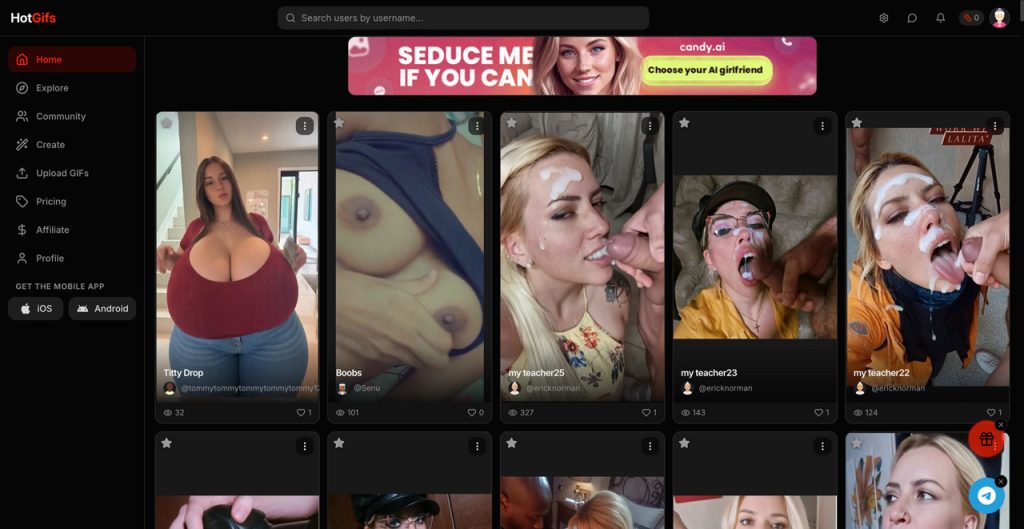
The platform describes its experience as a short-form social feed for adult AI media. Users can scroll through realistic AI videos, open individual creations, save interesting clips, and generate their own content without installing local models or video editing software.
Despite the HotGIFs name, the service is primarily focused on generated video rather than conventional silent GIF files. Premium output can include downloadable MP4 clips, longer durations, and audio depending on the selected plan.
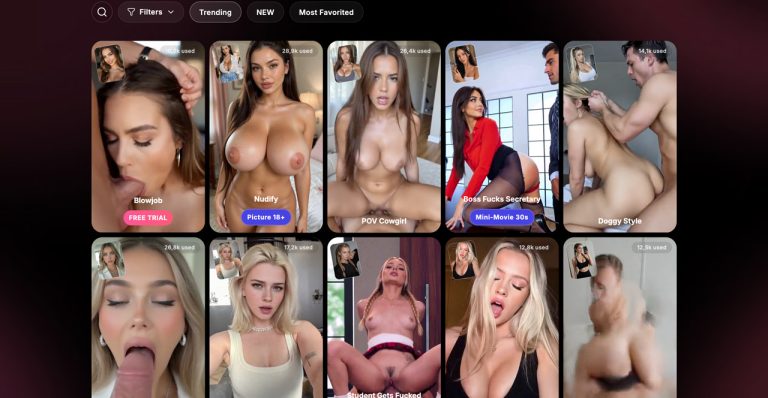
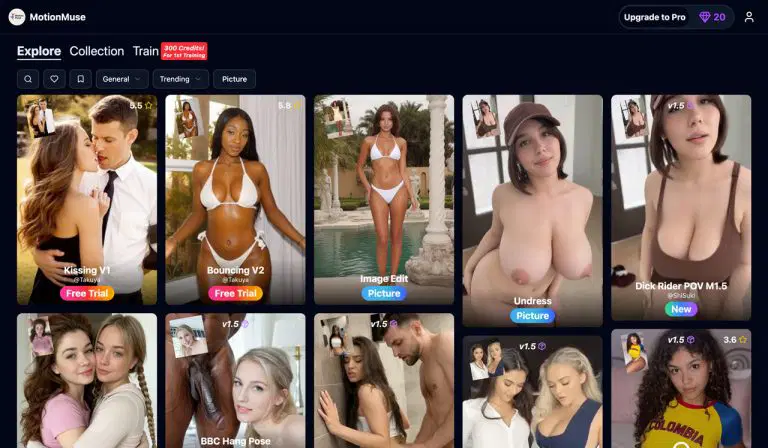
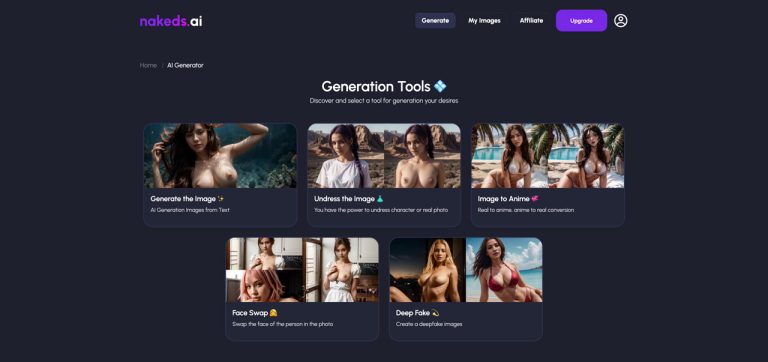
HotGIFs fits naturally within the AI Video Generator and AI Porn Generator categories. Users comparing similar motion-focused tools may also want to explore MotionMuse.ai, DeepDance, and Promptchan Video.
How Does HotGIFs.ai Work?
The main workflow begins with a written prompt describing the character, setting, movement, camera direction, visual mood, and action the user wants to generate. The AI interprets those instructions and renders a short synthetic video.
Prompt detail plays an important role in the final result. HotGIFs encourages users to describe motion and camera behavior clearly rather than relying on vague instructions. Terms such as slow zoom, close-up, tracking shot, or controlled camera movement can give the model more useful direction.
Once a video has been generated, the result can be reviewed, saved, downloaded when supported by the user’s plan, or shared through the platform’s public discovery feed.
Because rendering is handled online, users do not need a dedicated graphics card, local AI installation, or professional animation software. The platform can be accessed through a modern desktop or mobile browser.
Main Features of HotGIFs.ai
Realistic AI Video Generation
HotGIFs focuses on generating realistic short videos from user prompts. Users can describe the desired character, appearance, scene, movement, lighting, and camera direction to influence the final clip.
The platform is better suited to short visual concepts than long-form storytelling. Its generation model is designed around compact videos that can be watched quickly, shared, and discovered through a vertical content feed.
Short-Form Community Feed
One of the platform’s most distinctive features is its scrollable discovery experience. Instead of presenting only a private generation dashboard, HotGIFs also lets users browse clips created and shared by other members.
This makes the platform feel closer to a short-form social media service than a conventional standalone AI generator. The feed can also provide useful inspiration for camera angles, visual styles, character concepts, and prompt structures.
Prompt-Based Motion Control
Users can guide the result by including movement and cinematography instructions in their prompts. Clear descriptions of subject motion, camera direction, pacing, and framing can help produce more intentional outputs.
HotGIFs also provides prompt guidance explaining that specific motion terms generally work better than vague descriptions. This is helpful for beginners who are still learning how image-to-video and text-to-video models interpret movement.
Videos with Audio
Selected paid plans support video generation with audio. This can make outputs feel more complete than silent loops and provides an additional layer of immersion for users creating short-form AI media.
Audio availability may depend on the selected duration, plan, and generation mode. Users should confirm the current cost before rendering because video with audio may consume more credits than a basic clip.
Longer Video Durations
Entry-level plans are intended for shorter generations, while higher tiers can unlock longer clips. The current pricing structure advertises video durations of up to 15 seconds on eligible plans.
Although 15 seconds is still short compared with traditional video production, it provides enough time for more visible movement and scene development than a basic animated loop.
Clean MP4 Downloads
Eligible premium plans include clean MP4 downloads without a visible platform watermark. This is useful for users who want to save their videos locally or publish them through other supported channels.
Users should still review content ownership, commercial use, and distribution rules before using generated videos in monetized projects.
Save and Share Creations
Generated videos can be kept for personal use or shared through the platform when the creator chooses to make them visible. This gives users flexibility between private generation and community participation.
Anything shared publicly should be reviewed carefully before publication, particularly when a prompt or generated character could resemble a real person.
Browser-Based Generation
HotGIFs runs online, removing the technical barriers associated with local AI video generation. Users do not have to install models, download checkpoints, configure workflows, or manage hardware requirements.
This makes the platform approachable for beginners, although experienced creators may have less detailed control than they would receive from a fully customized local workflow.
Crypto Payment Option
The pricing area includes a cryptocurrency payment option using USDT. This gives users an alternative to conventional card-based checkout where supported.
Before purchasing, users should verify the accepted blockchain network, wallet address, payment confirmation process, and refund conditions because cryptocurrency transfers can be difficult or impossible to reverse.
HotGIFs.ai User Experience
The platform is designed around fast discovery and creation. Visitors can browse existing videos to understand the type of output available, while registered users can move into the generation workflow and start creating their own clips.
The short-form feed makes HotGIFs easier to explore than platforms that open directly into an empty prompt box. New users can study public creations before deciding what characters, motion, camera direction, or visual style they want to test.
The generation process is still dependent on prompt quality. Short and unclear instructions can produce generic movement, while overly complicated prompts may introduce visual inconsistencies. The strongest results will usually come from a clear subject, one primary action, a defined camera movement, and a manageable scene.
Rendering time can vary depending on demand, video length, audio, and model complexity. AI video generation generally requires more processing than still-image creation, so users should expect a longer wait than they would with a basic image generator.
HotGIFs.ai Video Quality
HotGIFs is designed to produce realistic motion, but generation quality can vary from one prompt to another. Facial consistency, body proportions, hand details, background stability, and object continuity may change during a clip.
Simple scenes with one clearly visible character often give the model fewer visual elements to manage. Complex scenes involving multiple characters, rapid action, unusual poses, or heavily detailed backgrounds may be more likely to show artifacts.
Camera instructions also influence quality. A slow and controlled movement can be easier for an AI model to maintain than abrupt changes in framing or perspective.
Users who prefer creating the source character as a still image before animating it may also compare HotGIFs with SoulGen or Gen.Porn. Those platforms offer different approaches to prompt-based visual creation.
HotGIFs.ai Pricing and Credits
HotGIFs uses monthly subscriptions combined with generation credits. Each plan includes a monthly credit allowance and an estimated number of videos based on standard generation costs.
The current public pricing begins with a Starter Premium plan priced at $9.99 per month. It includes 300 monthly credits, which the platform estimates at approximately 10 videos.
Basic Premium is listed at $24.99 per month with 900 credits, estimated at approximately 30 videos. A higher plan priced at $34.99 per month includes 1,200 credits, an estimated 40 videos, support for clips up to 15 seconds with audio, and clean MP4 downloads.
Additional premium tiers may be available for users who need larger credit allowances or heavier monthly generation. Plan names, prices, credit costs, duration limits, and feature availability can change, so users should always check the live pricing page before subscribing.
The estimated number of videos should not be treated as a guaranteed quota for every generation mode. Longer clips, audio, advanced models, or failed regeneration attempts may affect how quickly credits are used.
HotGIFs.ai vs MotionMuse.ai
Both HotGIFs and MotionMuse.ai focus on adult AI motion content, but their overall presentation is different.
HotGIFs places greater emphasis on short-form discovery and community sharing. Its feed encourages users to browse, save, and publish AI-generated clips in a format similar to a social video platform.
MotionMuse.ai may be more suitable for users who want a generation-focused studio and a wider selection of visual transformation workflows. HotGIFs is likely to appeal more to users who enjoy discovering community content alongside creating their own videos.
HotGIFs.ai vs DeepDance
DeepDance is primarily designed to transfer dance motion onto characters or source images. It is a more specialized option for users who specifically want dance animation.
HotGIFs offers a broader prompt-based video experience where users can describe different actions, camera movements, characters, and scenes. It is not limited to dance templates or choreography.
DeepDance may therefore be more convenient for quick dance transformations, while HotGIFs provides more freedom for generating varied short-form concepts.
HotGIFs.ai vs Promptchan Video
Promptchan Video is connected to a wider visual generation ecosystem that includes character creation and still-image workflows. This may be useful for creators who want to develop a source image and then animate it through the same broader platform.
HotGIFs is more directly centered on video discovery and short-form social presentation. Its feed-based experience is one of the clearest differences between the two services.
The better choice will depend on whether the user prefers a broader creative suite or a dedicated short-video platform with a community feed.
Who Is HotGIFs.ai Best For?
HotGIFs.ai is best suited for adults who want to generate and discover short synthetic videos without installing local AI software.
The platform may be particularly useful for:
- Users experimenting with realistic adult AI video generation
- Creators who enjoy short-form vertical video feeds
- Beginners looking for a browser-based workflow
- Users who want downloadable MP4 clips
- Creators interested in video generation with audio
- Users who prefer community discovery alongside private creation
- Customers who want the option to pay with USDT
It may be less suitable for users who need long videos, professional timeline editing, precise frame-by-frame control, or an AI companion with ongoing chat and memory.
Privacy, Consent and Responsible Use
Adult AI video generation should be limited to lawful, consensual, and clearly adult content. Users should avoid creating or sharing media that impersonates, targets, or exploits an identifiable person without explicit authorization.
The safest use case is original fictional characters or synthetic adults created through prompts. Users should not attempt to create underage characters, non-consensual intimate media, harassment, illegal content, or deceptive material presented as authentic footage.
Public sharing requires additional care. Before publishing a generated video to the HotGIFs feed, users should check the final output for unexpected likenesses, personal information, visual artifacts, or content that could violate another person’s rights.
Users should also review the current Terms of Service, Privacy Policy, generation restrictions, subscription renewal rules, refund conditions, and local laws before creating an account or purchasing credits.
HotGIFs.ai Pros and Cons
Pros
- Realistic prompt-based AI video generation
- Short-form community discovery feed
- Users can save and share generated clips
- Selected plans support videos up to 15 seconds
- Audio generation is available on eligible plans
- Clean MP4 downloads without a watermark are available
- Prompt guidance helps users describe camera movement
- Browser-based workflow requires no software installation
- Multiple monthly credit plans are available
- USDT payment option is listed
Cons
- The platform focuses on short clips rather than long videos
- Video generation can consume credits quickly
- Audio and longer durations require higher-tier access
- Complex scenes may produce visual inconsistencies
- Several attempts may be needed to get the preferred result
- Public sharing creates additional privacy considerations
- The name may suggest GIF files even though the platform focuses on AI video
- Not designed for AI girlfriend chat or relationship simulation
- Does not replace professional video editing software
Final Verdict: Is HotGIFs.ai Worth Trying?
HotGIFs.ai is worth considering for adults who want a realistic AI video generator combined with a short-form discovery feed. Its blend of prompt-based creation, community videos, saving, sharing, MP4 downloads, audio, and longer premium clips gives it a more social experience than many isolated generation tools.
The platform is especially appealing to users who enjoy browsing AI-generated media for inspiration before creating their own content. Clear prompt guidance and browser-based rendering also make the workflow approachable for users without technical AI experience.
Its main limitations are the short maximum duration, credit-based generation costs, and the natural consistency issues that still affect AI video models. Users seeking long-form production or detailed editing will need a more advanced workflow.
For quick synthetic clips and community-driven adult AI video discovery, HotGIFs.ai offers a distinctive option within the growing AI Video Generator category.